
Need Ideas for Blog Posts? Try Google’s Wonder Wheel
Update: In early 2012, Google removed the Wonder Wheel feature. I’m sad, because it was WONDERful. So this post is no longer valid, unless we can somehow convince Google to bring back the Wonder Wheel.
Have you heard of a cool Google tool called the Wonder Wheel? It’s a great way to help you generate ideas for blog posts. Here’s how to use it:
1. Search for a keyword on Google. I blog about adoption on my other blog, so I typed in “adoption.”
2. When the results pop up, click the “Show Options…” link right at the top.

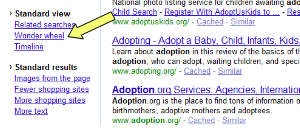
3. Scroll down the left sidebar until you see “Standard View” and click “Wonder wheel.”
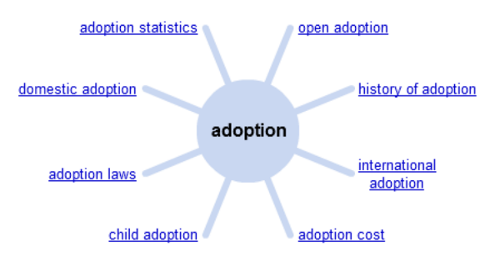
4. Your main screen will now display a cluster or mind map of keywords related to your topic.
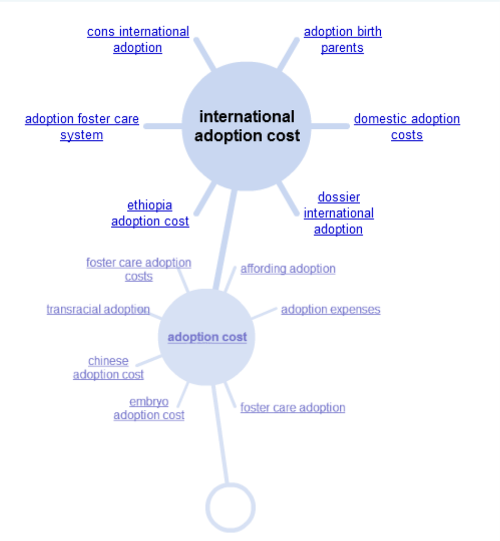
5. Click on one of the links (I clicked “adoption cost”) and you’ll see lots more sub-topics.
Try the Wonder Wheel with your own topic and let me know what you discover.
Source: DailyBlogTips
Related article:
Laura,
You should consider this exercise for a Write Start! I’m sure it could get people writing.
Laura,
You should consider this exercise for a Write Start! I’m sure it could get people writing.
Laura,
You should consider this exercise for a Write Start! I’m sure it could get people writing.
Laura,
You should consider this exercise for a Write Start! I’m sure it could get people writing.
Amy,
Hadn’t thought of that! Do you know whether we get Internet access on that big screen so I could demonstrate it live and try it with different topics?